Mon–Fri 9:00 a.m. – 5:00 p.m. · Dallas, TX
Phone & Voice

Business VoIP for Growing Companies

Business VoIP moves your phone system from a box on the wall to software running over your internet connection — which is why it can route calls intelligently, follow your team anywhere, and talk to your CRM. Forward Konnect helps businesses choose a setup, verify the connection underneath it, and migrate without dropping a single customer call.

No obligation. Local guidance. Response within one business day.

Employee on a headset call at a laptop in a bright office
01

What business VoIP actually is

Strip away the acronym and VoIP is a simple idea: your phone calls travel over your internet connection instead of a dedicated phone line, and the "phone system" — the logic that decides how calls ring, route, and get answered — lives in software rather than hardware bolted to a wall. Your number stops being tied to a jack in a specific room. It becomes an address that can ring a desk phone, a laptop, and a mobile app at the same time, in whatever order you decide.

That one shift explains everything businesses like about VoIP. Hiring someone remote? Their extension works from home on day one. Moving offices? The phone system moves by logging in. Storm keeps everyone out of the building? Calls route to mobile apps and nobody outside the company notices. For a business that has been running on traditional lines, the change is less "new phone service" and more "the phones finally behave like the rest of your software."

Once the phone system lives in software, the phones finally behave like the rest of your business tools.

02

The features that actually earn their keep

VoIP platforms come with long feature lists. In practice, a handful do most of the work for a small or mid-sized business:

01

Auto-attendant

A menu greets callers and routes them — "press 1 for scheduling, 2 for billing" — so the right person answers and nobody plays receptionist all day. Even a two-person shop benefits from separating new inquiries from existing-customer calls.

02

Ring groups

Calls for "service" can ring three technicians at once, or in a set order, instead of one overloaded line. Whoever picks up first takes the call; nobody else is interrupted.

03

Mobile and desktop apps

The business number rings, and answers, from personal or company phones without exposing anyone's cell number. Callers see the company caller ID either way.

04

Voicemail to email

Voicemails arrive in the inbox, often transcribed, so messages get handled from the same place as everything else.

05

Call handling by schedule

After-hours calls can go to a different greeting, an on-call phone, or straight to voicemail with an emergency option — configured once, not remembered nightly.

06

CRM integration

The system recognizes the caller, logs the call, and can pop the customer's record before you pick up. More on this below, because it is the feature most businesses underuse.

The right question is not "which platform has the most features" but "which call flow fits how this business answers the phone." Designing that flow is the core of our setup work.

The right platform is the one whose call flow matches how your business answers the phone.

03

VoIP is only as good as the connection under it

Here is the honest caveat: VoIP inherits the quality of the internet connection it rides on. Voice traffic is not bandwidth-hungry, but it is sensitive to the connection's steadiness — delays and congestion that a web page absorbs invisibly turn into choppy audio on a call. Before recommending any VoIP setup, we look at three things:

  1. 01

    The connection itself

    Is the current service business-grade and consistent, especially for upload traffic? If not, that gets fixed first — our AT&T Business Fiber page covers how we check what your address can get.

  2. 02

    The local network

    An office router that treats a phone call and a large file download as equals will let one ruin the other. Prioritizing voice traffic on the network is standard practice and part of a proper install.

  3. 03

    A failure plan

    Internet outages happen. A well-configured system fails over automatically — calls route to mobile apps or forward to designated cell phones — so an outage inconveniences your team without ever giving a customer a dead line.

Skipping this groundwork is the number one reason businesses have a bad first experience with VoIP and blame the technology instead of the setup.

Most bad first experiences with VoIP come from the setup underneath it, not the technology.

04

Moving off landlines without dropping a call

Migration worries owners more than the technology does, reasonably: the phones cannot go down on a Tuesday morning. The approach we manage runs in stages. The new system is built and tested while your existing service keeps working — call flows configured, devices registered, the team trying it out on temporary numbers. Your published numbers move in a scheduled port at the end, timed for a quiet window, and the old lines stay live until that moment. If anything looks wrong, calls still land. Once the port completes and inbound calls are confirmed on the new system, the legacy service is retired deliberately — not before. Our business phone lines page covers the porting rules in more depth, including the paperwork details that cause most delays.

Old lines stay live until inbound calls are confirmed on the new system, never before.

05

Where VoIP meets your CRM

Because a VoIP system is software, it can talk to the other software your business runs on — and the CRM connection is the one that changes daily work. When the phone system and CRM are linked, an inbound call can pull up the caller's history before you answer. Calls log themselves against the right contact. A missed call can trigger an automatic follow-up task, or a text back, instead of relying on someone to remember. For businesses that sell or schedule over the phone, this is where the phone system stops being a utility and becomes part of the sales process. We build these connections as part of our CRM automation work, and the two projects are often done together for exactly that reason.

A CRM pipeline that maintains itself
  1. New enquiryCaptured from any channel
  2. Contact createdDeduplicated automatically
  3. Follow-up sequenceDay 1, day 3, day 7
  4. Quote sentStatus visible to the team
  5. Won or closedOutcome recorded, not remembered

Calls, emails and quotes attach themselves to the right record, so the pipeline reflects reality without manual data entry.

Linked to the CRM, the phone system stops being a utility and becomes part of the sales process.

06

How Forward Konnect runs a VoIP project

We are a consulting firm and an authorized AT&T dealer, which means we can look at your phones and your connectivity as one problem instead of two vendors' problems. A typical engagement: a short call about how calls flow through your business today; a check on your internet service and address; a recommended call-flow design and service configuration in plain English; then ordering, number porting, device setup, and a staged cutover we manage end to end. Afterward you have one local contact for changes — new hires, new locations, tweaks to the auto-attendant — instead of a support ticket queue.

Phones and connectivity are handled as one problem, with one local contact afterward.

07

Useful to have before we talk

  • A recent bill for your current phone service, showing every line and number
  • A simple sketch of how calls should flow: who answers first, what happens when they are busy, what after-hours should look like
  • Your current internet service details, or just the address so we can check it
  • The CRM or scheduling tools you use, if you want calls connected to them
  • Any hard dates, like an office move or a contract expiration

A bill and a sketch of how calls should flow are enough to start the conversation.

08

After you submit the form

The audit request on this page goes to our team. Within one business day you will hear back with our read on your current setup and what we would verify at your address before recommending anything. The review costs nothing, and if the sensible answer is to stay on your current service for now, we will tell you that plainly.

Request your free telecom cost audit

Share what you can — even a rough picture is enough to start. We review your lines, locations and spend, then show you exactly what we would change.

No obligation. Local guidance. Response within one business day.

Common questions

Frequently asked questions

Is VoIP reliable enough to run a business on?

Yes, when the connection and network underneath it are handled properly — that groundwork is the difference between crisp calls and a frustrating experience. Voice service should sit on business-grade internet with voice traffic prioritized on the office network, and with automatic failover configured. Set up that way, VoIP is how a large share of businesses run their phones today.

What happens to our calls if the internet goes out?

A properly configured system fails over on its own: inbound calls route to the mobile apps on your team's phones or forward to designated cell numbers, so callers still reach a person. Your customers should never hear a dead line because your office connection hiccuped. We treat the failover plan as a required part of setup, not an optional extra.

Can we keep our existing phone numbers?

Yes. Your published numbers are ported to the new service in a scheduled cutover, and the old lines stay active until the port completes, so there is no gap in inbound calling. Ports are rejected most often over mismatched account records rather than technical problems, which is why we verify those details before submitting anything.

Do we need special desk phones, or can people use computers and cell phones?

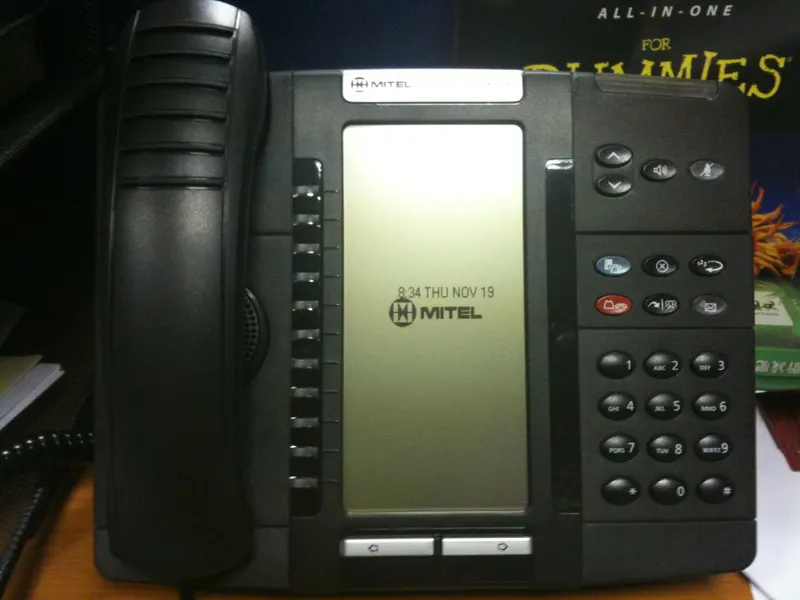
Either works, and most businesses mix them. Some staff want a physical desk phone; others are happier with a headset and a desktop app, or just the mobile app. Devices can be added or changed later without redesigning the system, so we usually start with what the team actually prefers rather than buying hardware for every desk by default.

Is VoIP cheaper than traditional phone lines?

Often, but not automatically, and we will not pretend a blanket answer exists. The cost structure is different — you pay per user or line for a service that includes features that used to cost extra, and you stop maintaining aging equipment. Whether that nets out lower depends on what you pay today, which is exactly what our free review looks at.

Can the phone system really connect to our CRM?

Yes — this is one of the strongest reasons to modernize. Linked properly, the system can log calls against customer records, show you who is calling with their history on screen, and trigger follow-up automatically after missed calls. We handle the phone side and the CRM side together, so the integration is designed in from the start rather than bolted on.

Related services

Other ways we can help

Business Phone Lines in the US

Forward Konnect sets up, upgrades and manages business phone lines — new numbers, number porting, VoIP and traditional systems — with one local contact.

Explore

AT&T Business Fiber

Get AT&T Business Fiber for your business location with help from an authorized AT&T dealer. We check availability, compare current options and manage the order.

Explore

CRM Setup & Integration

CRM setup and integration for small businesses — choosing the right system, migrating and cleaning data, automating follow-up, connecting email and phones.

Explore
Keep reading

From our Insights library

Put your telecom bill in front of a local consultant

Share your current lines, locations and spend. We review the account and walk you through what we would change — before you commit to anything.