Mon–Fri 9:00 a.m. – 5:00 p.m. · Dallas, TX
Industries

Telecom & Automation for Retail and E-Commerce

In retail, technology failures happen in front of customers — a card terminal that will not connect, a website selling stock the store just sold out of, an order that ships late because someone missed an email. Forward Konnect sets up connectivity built around keeping payments online, then automates the inventory sync, fulfillment steps, and customer notifications that keep a store and its webstore telling the same story.

No obligation. Local guidance. Response within one business day.

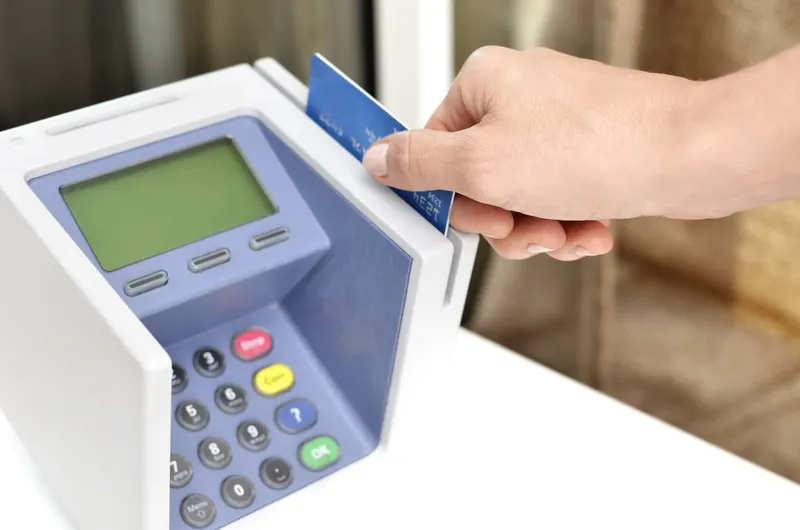
Cashier taking a card payment at a boutique checkout counter
01

Who this is for

This page is for businesses that sell physical products to the public: single shops and multi-store retailers, restaurants and cafes with counter service, showrooms, and e-commerce operations run from a storefront, office, or warehouse. Many are hybrids — a store plus a webstore plus a marketplace presence — which is exactly where the technology strain shows up, because every additional sales channel is another place inventory, orders, and customer records can drift out of sync.

If your point-of-sale system has ever gone down during business hours, or your team reconciles store and website stock by hand, the two layers below are the fix.

Every additional sales channel is another place inventory, orders and customers can drift out of sync.

02

The connectivity layer: the connection behind the register

01

Internet designed around the POS

Modern point-of-sale systems are cloud services: payments, pricing, inventory, and loyalty all depend on the store's connection. That makes retail internet a different problem from office internet — the standard is not "fast enough" but "up during business hours, every business hour." We set up business internet for stores with that standard in mind, and our article on business internet for retail stores and point-of-sale systems walks through the specifics.

02

A backup path for payments

For most stores, the honest question is not whether the primary connection will ever fail but what happens at the register when it does. A properly configured backup — typically wireless, with automatic failover — keeps card terminals and the POS running through an outage. We size it to carry payments and essentials, which keeps it affordable.

03

The right primary technology

Depending on the address, options may include fiber or cable, and the trade-offs matter for a business running payments and cameras all day. Our comparison of business fiber versus cable internet explains the differences; as an authorized AT&T dealer, we check what can actually be ordered at your location and manage the order through installation.

04

Guest Wi-Fi that stays out of the way

Customer Wi-Fi should never compete with the register for bandwidth. We set up separation between payment systems, back-office use, and guest access as part of the connectivity design.

The standard for retail internet is up during every business hour, not merely fast enough.

03

The automation layer: one version of the truth

Retail automation is mostly about eliminating drift — between the store and the webstore, between orders and fulfillment, between what the customer was promised and what they were told. Practical use cases we build:

01

Inventory sync across channels

Stock levels flow between the POS, the webstore, and marketplaces, so selling the last unit in the store removes it from the website without anyone doing a nightly count-and-correct.

03

Order fulfillment workflows

New online orders trigger a consistent sequence — confirmation, pick list, shipping label, tracking notification — so fulfillment speed does not depend on who is watching the inbox.

04

Customer notifications

Order confirmations, shipping updates, back-in-stock alerts, and pickup-ready messages go out automatically, which cuts "where is my order?" inquiries to a fraction.

05

Campaign and follow-up automation

Purchase history drives simple, honest follow-ups — a reorder reminder, a review request, a heads-up when a wishlist item is available — without a marketing hire.

The broader discipline of mapping a process before wiring it up is covered on our business process automation page; retail is one of its most concrete applications, because the processes repeat hundreds of times a week.

Retail automation is mostly about eliminating drift between channels, orders and promises.

04

Multi-store and store-plus-warehouse operations

Once there is more than one location, connectivity and data both get harder: each address has different service options, and inventory now lives in several places at once. We design for that directly — checking availability per address, standardizing the setup so every store behaves the same, and building the sync workflows so a customer sees accurate stock no matter which channel they are looking at. One relationship covers all locations, which also means one renewal calendar instead of several.

One relationship across all locations means one setup standard and one renewal calendar.

05

How an engagement runs

  1. 01

    Walkthrough

    We talk through your sales channels, your POS and webstore platforms, what happens during an internet outage, and where staff spend time correcting data by hand.

  2. 02

    Connectivity check

    We verify what business internet can be ordered at each location, assess the outage exposure at the register, and propose a primary-plus-backup design where it is warranted.

  3. 03

    Automation shortlist

    We pick the one or two workflows with the clearest payback — for most retailers, inventory sync or fulfillment notifications — and describe exactly what each will do.

  4. 04

    Setup and build

    We manage the telecom orders and installation scheduling around business hours, build the integrations on your existing platforms, and test before switching anything live.

  5. 05

    Ongoing contact

    Seasons change, channels get added, contracts renew. We stay the local point of contact for both layers.

Nothing switches live until the integrations are tested on your own platforms.

06

What to have ready before the consultation

  • Your locations, and which one hurts most when the internet drops
  • Which POS, webstore platform, and accounting system you use
  • Where inventory counts live today, and who reconciles them
  • Current internet bills if you want the spend reviewed alongside the setup
  • The customer complaint you hear most often — it usually points at the right first workflow

The complaint you hear most often usually points at the right first workflow.

07

What happens after you submit the form

The form goes to our Dallas team, and you will hear back within one business day to arrange a short call. The assessment is free and carries no obligation — if your current setup is solid, we will tell you so.

Book an automation discovery call

Describe the repetitive work in your business. On the call we map it step by step and show you what an automated version would look like — in plain English.

No obligation. Local guidance. Response within one business day.

Common questions

Frequently asked questions

What actually happens to card payments when the internet goes down?

Without a backup, most cloud POS systems stop taking card payments, and the register line becomes an apology line. With a wireless backup configured for automatic failover, terminals switch to the second connection within moments and payments continue. We design the backup around payments and core systems specifically, which is what keeps it modest in cost.

Can our store inventory and website inventory really stay in sync automatically?

Yes, if your POS and webstore platforms can talk to each other — and most widely used ones can, either natively or through an integration layer. We assess your exact combination before promising anything. Where a true real-time link is not possible, we build the closest reliable alternative and tell you plainly where the limits are.

Do we need to change our POS system to work with you?

Usually not. We build around the POS you have, since switching is disruptive for a working store. If your current system genuinely cannot support what you need — no backup-connection support, no integration options — we will show you the specific limitation and let you weigh it. Recommending a rip-and-replace is a last resort, not a starting point.

We sell in-store, on our website, and on a marketplace. Where do we start?

Start with whichever gap costs the most: an outage-prone register, oversells on the website, or slow fulfillment. The consultation exists to find that answer for your specific mix — we map how orders and stock move across your channels and rank the fixes by payback, so the first project is the one you feel immediately.

Can customer notifications come from us rather than a generic platform address?

Yes. Confirmations, shipping updates, and pickup notices can be configured to send under your store's name and address, with wording you approve. That keeps the customer experience consistent with your brand and keeps replies flowing back to an inbox your team actually watches.

Related services

Other ways we can help

Business Internet for Growing Companies

Business internet for growing companies: fiber where it reaches, real alternatives where it doesn't. We check your address, compare options, manage the order.

Explore

App Integrations for Business

We connect the business apps you already use — CRM, email, calendar, accounting, e-commerce and phones — with one source of truth and real error handling.

Explore

Customer Support Outsourcing

Outsourced customer support for businesses: phone, email and chat support delivered through your CRM or help desk, following your processes and standards.

Explore
Keep reading

From our Insights library

Talk through your options with a consultant

One conversation covers connectivity, phones and the manual work you want off your plate. No obligation. Local guidance. Response within one business day.