A retail store's internet connection now sits in the checkout lane: card payments, the POS itself, inventory, cameras and guest Wi-Fi all ride on it. Planning it well means sizing for the store's real workload, separating payment systems from guest traffic, and — above all — building in a backup path so a cut line does not stop sales. Here is a practical plan.
Twenty years ago, a store's internet connection was a back-office convenience. Today it is checkout infrastructure. Modern point-of-sale systems are cloud applications; card payments are authorized online in real time; inventory syncs to an e-commerce storefront; the cameras, the door counter, the music and the customers' phones all share the same pipe. When the connection drops, the register does not just get slower — in many stores, it stops, and customers standing in line with full baskets start putting them down.
That is the frame for every decision in this article: for a retail business, connectivity planning is revenue-continuity planning. What follows is a practical walkthrough for owners and managers — what actually rides on a store's connection, how to size it, how to keep payments running through an outage, and how to keep guest Wi-Fi from ever touching the systems that handle cards.
What actually runs on a store's connection
It is worth listing honestly, because the total surprises most owners:
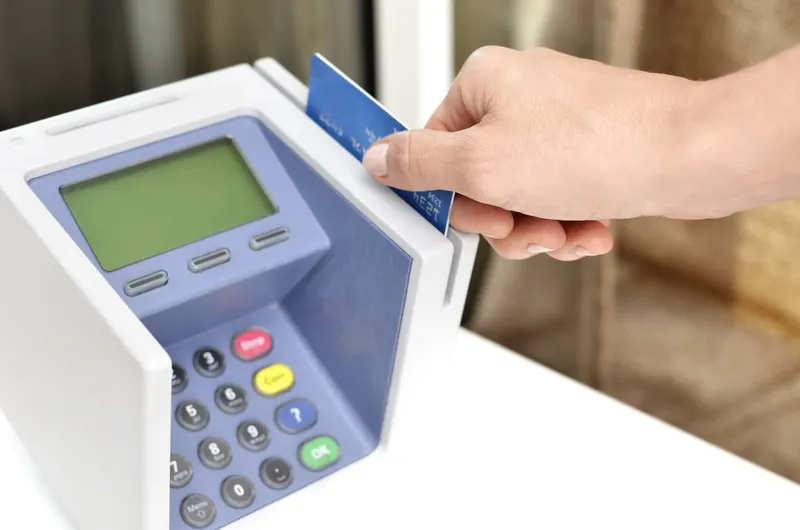
- Payments. Card terminals authorize each transaction over the internet, whether they connect through the POS or directly to the processor.
- The POS itself. Most current systems are cloud-based: the catalog, pricing, tax rules and reporting live on the vendor's servers, with the register syncing continuously.
- Inventory and e-commerce. Stores selling online — even just local pickup orders — sync stock levels between the shelf and the storefront all day.
- Back office. Accounting, scheduling, payroll, email, supplier ordering, and the manager's laptop.
- Cameras and security. IP cameras uploading to cloud storage, alarm panels, and remote-viewing apps.
- Voice. Many stores run their phone line as VoIP over the same connection.
- Guest and staff Wi-Fi. Customer devices, staff phones on break, tablets on the floor.
None of these needs is heavy on its own. The planning questions are how they add up at your busiest hour, what happens when the connection fails, and which of them are allowed to share a network with payment systems. The answers, in order: measure, plan a backup, and "almost none."
Sizing the connection for a real store
Retail bandwidth needs are usually modest compared to an office full of video calls — with two big exceptions: cloud camera uploads and busy guest Wi-Fi, both of which can dwarf everything else the store does.
The practical approach is workload-based. Count what runs concurrently at your peak hour on a Saturday: registers, terminals, cameras actually uploading (continuous cloud recording is far heavier than motion-triggered clips), streaming music, staff devices and a realistic number of guest users. Cloud POS transactions themselves are tiny; camera upload streams are not, and they consume upload capacity — the direction cable connections are weakest in. That asymmetry is a major reason the fiber versus cable comparison reads differently for a camera-heavy store than for a small office, and if you want a structured way to translate device counts into a speed tier, our guide to working out the internet speed a business needs applies directly to retail.
Two sizing notes from the field. First, buy for the peak hour, not the average — a connection that keeps up on Tuesday morning but chokes during the holiday rush is undersized, and in Dallas retail the December weeks are the stress test that matters. Second, remember growth is usually additive in a store: another register, four more cameras, a self-checkout kiosk, an ordering tablet. Leave headroom.
Reliability and failover: the part that actually protects revenue
Here is the uncomfortable arithmetic every retailer should do once: estimate what one hour of failed card payments costs at your busiest time — lost sales, abandoned carts, and customers who simply leave. For most stores, that number instantly justifies a second connectivity path.
Failover means a backup connection that takes over when the primary fails, ideally automatically. For retail, the standard design is a wireline primary — fiber where it is available — with a wireless backup: a router equipped with a cellular data connection that keeps at minimum the payment and POS traffic flowing during a wireline outage. Because a cellular path fails for different reasons than a buried line, the combination covers far more scenarios than two wired lines from the same conduit ever could. The design choices — automatic versus manual switchover, what traffic the backup carries, how you test it — are covered in depth in our guide to pairing primary and backup internet for business continuity.
Three retail-specific rules make failover real rather than theoretical:
- Prioritize payments on the backup. A cellular backup does not need to carry cameras and guest Wi-Fi. Configure it to carry the POS and terminals first; let everything else wait.
- Test it on a schedule. A failover that has never been tested is a hope, not a plan. Pull the primary during a quiet hour once a quarter and confirm a card transaction goes through.
- Know the manual fallback. Staff should know the offline procedure — whether the POS supports offline mode and what its risks are, and where the backup terminal or process lives. An outage at 6 p.m. on Black Friday is the wrong time to train.
Keeping card systems away from everything else
Any store that accepts cards operates under PCI DSS, the payment card industry's security standard, and one of its central ideas is directly a network-design question: systems that handle cardholder data should be isolated from systems that do not need to touch them. In practice, this means your card terminals and POS must never share an open network with guest Wi-Fi, the music streamer, the break-room TV or a customer's phone.
The good news is that proper segmentation is not exotic. A business-grade router and access points can carve one physical connection into separate networks: one for payment systems, one for back-office and cameras, one for guests — each isolated from the others, with the guest network unable to see anything internal. Many POS and payment vendors specify exactly this, and your acquiring bank's annual PCI questionnaire will ask about it. Beyond compliance, segmentation is self-interest: the overwhelming share of retail network incidents start on the least-controlled devices, and a guest's compromised phone should have no path to the register. The standard itself, with small-merchant resources, is published on the PCI Security Standards Council's site, and it is worth knowing that your processor's questionnaire is derived from it rather than invented by your bank.
Guest Wi-Fi deserves one more decision: whether to offer it at all. For a boutique or café it can be genuine hospitality; for a quick-turn store it may be pure load. If you offer it, isolate it, rate-limit it so it cannot starve the registers, and put it behind its own network name.
Practical use cases
The single-location boutique. One or two registers, a card terminal, cloud POS, a handful of cameras, music and guest Wi-Fi. Needs are modest: a solid business-class connection sized with camera uploads in mind, a segmented network, and an inexpensive cellular failover for payments. This store's biggest risk is not bandwidth — it is having no plan for the afternoon the line gets cut.
The quick-service restaurant. Adds kitchen display systems, third-party delivery tablets, and online ordering that arrives inbound all day. Failed connectivity here does not just stop walk-in payments; it silently stops orders from arriving. Automatic failover and vendor tablets on the correct network segment (not the payment one) are the priorities.
The multi-location retailer. Three stores and a warehouse need consistent design — the same segmentation, the same failover, the same equipment — so any manager and any IT helper can support any site, and so inventory syncs reliably between locations. This is where standardized ordering and centralized management pay off; a growing chain in the Dallas area is usually better served planning all sites at once than solving each store ad hoc.
The pop-up or seasonal location. A holiday kiosk or farmers-market stall can often run entirely on a cellular router with a cloud POS — the same wireless technology that serves as backup elsewhere serves as primary here. The discipline that matters is still segmentation: payments on their own network, even on a temporary setup.
A store-opening connectivity checklist
| Step | What to do | When |
|---|---|---|
| Availability check | Confirm what service reaches the exact suite — retail centers vary bay by bay | At lease negotiation |
| Order lead time | Order the connection early; construction can add weeks | Right after signing |
| Sizing | Count peak-hour registers, terminals, cameras, guests; buy headroom | Before ordering |
| Segmentation | Payment network, operations network, guest network — isolated | At install |
| Failover | Cellular backup carrying at least POS and payments; automatic if possible | At install |
| Testing | Simulate a primary outage; run a live card transaction on backup | Before opening day |
| Documentation | Record provider, account, passwords, network map — not just in one head | Opening week |
The availability line deserves emphasis for Dallas retailers: in strip centers and mixed-use developments, service options genuinely differ between adjacent suites, and the marketing map is not a guarantee for your bay. Verify before you sign the lease if connectivity is critical to your concept — the ordering process itself, including how availability gets confirmed, is laid out in our step-by-step guide to getting AT&T Business Fiber in Dallas.
Where Forward Konnect fits
Forward Konnect works with Dallas-area retailers on exactly this stack: checking serviceability for a specific suite, sizing and ordering business internet in Dallas as an authorized AT&T dealer, adding wireless backup, and coordinating installation around a build-out schedule so the store opens with connectivity done rather than pending. For retailers who also sell online, our retail and e-commerce industry page covers the broader picture — connectivity plus the phone, wireless and automation pieces that surround it.
Bottom line
Retail internet planning comes down to three moves. Size the connection for the busiest hour, counting camera uploads and guest Wi-Fi honestly. Segment the network so payment systems never share space with guests — PCI expects it, and self-preservation demands it. And build failover, because for a store, the cost of one busy-day outage dwarfs the cost of a cellular backup. Do those three before opening day, test the backup quarterly, and the connection becomes what it should be: infrastructure you stop thinking about.