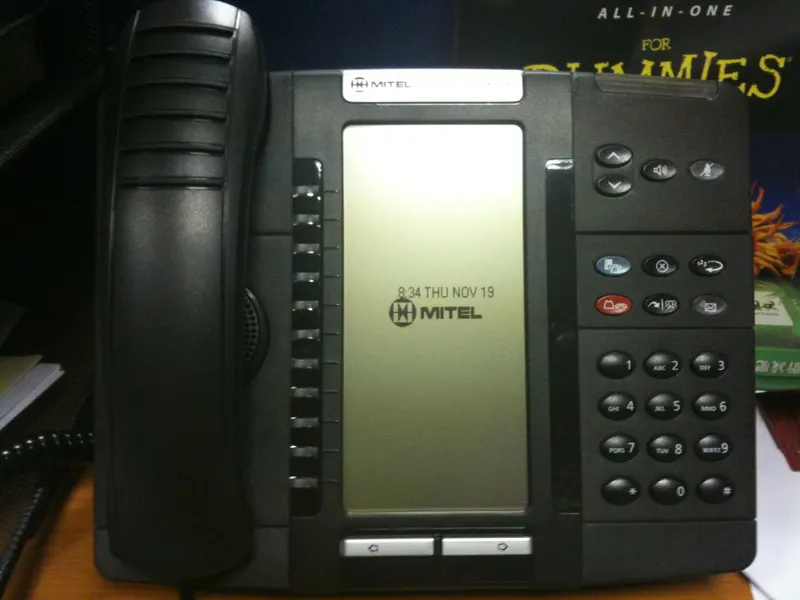

Dallas businesses today choose between four phone setups — traditional copper lines, VoIP over business internet, wireless-only service, or a hybrid of the three. The right answer depends on how calls flow through your business, what your internet can support, and which legacy devices still need an analog line. This guide walks through each option so you can pick deliberately instead of by default.
Ask ten Dallas business owners what a "phone line" is and you will get ten different answers: a copper pair on the wall, a number in a softphone app, a cell phone in a technician's truck, or some mix of all three. That variety is the point. There is no single correct phone setup for a small or mid-sized company anymore — there are four distinct approaches, each with real trade-offs. This article lays them out so you can match one to the way your business actually takes and makes calls.
Start with how calls move through your business
Before comparing technologies, sketch your call flow on one sheet of paper. Who calls you — customers, vendors, referral partners? What happens when the main number rings: does one person answer, does it ring a group, does it need to reach someone in the field? How many people make outbound calls at the same time on a busy morning? Do any devices in the building — a fax machine, an alarm panel, an elevator phone — depend on an analog line today?
Those answers matter more than any feature list. A two-person law office where every call must be answered live has different needs than a fifteen-person contractor whose estimators live in their trucks. If you have never counted how many simultaneous conversations your business really carries, work through how many phone lines your company actually needs first — overbuying lines is one of the quietest forms of telecom waste.
Option 1: Traditional analog lines
The classic setup: copper lines delivered to your building, terminating in single phones or a small on-premises phone system. Analog service still has genuine strengths. It works during a power outage at your suite (the line itself carries power), it needs no internet connection, and certain equipment — older fax machines, fire alarm panels, some elevator phones and point-of-sale terminals — was designed around it.
The direction of travel, however, is unmistakable. Carriers across the country have been retiring copper infrastructure and steering business customers toward IP-based replacements, and regulators have laid out processes for that transition. In practice this means analog lines are becoming a specialty product: still available in many Dallas locations, but rarely the platform to build a growing company on. If you hold several copper lines today, the practical question is usually not "should we keep all of these?" but "which one or two devices still genuinely require analog, and what replaces the rest?"
Option 2: VoIP over business internet
Voice over IP moves your phone service onto your data connection. Calls become traffic on your business internet, managed through a cloud portal instead of punch-down blocks in a closet. For most office-based Dallas companies, this is now the default choice, and for good reasons: numbers, users, and call-routing rules are configured in software; desk phones, computers, and mobile apps can all ring on the same number; and adding a user typically means a license and a login rather than a truck roll.
The honest caveat is dependency. VoIP is exactly as reliable as the internet connection and network hardware underneath it. A congested cable connection shared with video calls and cloud backups will produce choppy audio at the worst moments. That is why phone decisions and internet decisions belong in the same conversation — a business seriously considering VoIP should confirm its connection and router are up to the job first. The trade-offs deserve their own discussion, and we compare VoIP against traditional landlines in detail, covering cost structure, reliability, and features side by side.
Option 3: Wireless-only
Some businesses skip fixed lines entirely and run on business wireless service: every employee carries a smartphone, and the "phone system" is a set of mobile numbers. For field-heavy operations — construction crews, home services, couriers, inspectors — this can be the natural starting point, because the team is rarely at a desk anyway.
Wireless-only has two structural weaknesses for a growing company. First, the main-number problem: customers call a person, not the business, so when that person is on vacation, on another call, or no longer employed, calls go to a personal-feeling voicemail instead of a colleague. Second, plan management gets messy as headcount grows — mismatched plans, unclear upgrade timing, and devices on lines nobody remembers ordering. If wireless is going to carry your business, choose deliberately: our guide to what teams should compare in AT&T business wireless plans covers the criteria that matter, and a separate piece on planning smartphone and tablet upgrades shows how to keep device spending predictable.
Option 4: Hybrid — the setup most Dallas SMBs actually end up with
In practice, most small and mid-sized companies land on a mix: a VoIP system carrying the main business number and office extensions, business wireless for people in the field, and perhaps one analog or analog-replacement line for a legacy device. The VoIP layer solves the main-number problem — mobile users run the VoIP app on their smartphones, so a field technician can answer the office line from a job site and transfer it back to the front desk.
Hybrid is not a compromise; it is usually the correct engineering answer. The mistake to avoid is assembling it accidentally, one purchase at a time, across three vendors who never talk to each other. Assembled deliberately — ideally with internet, phones, and wireless considered together — the pieces reinforce one another, and there are often practical advantages to consolidating them, which we examine in our article on when internet, phone and wireless bundles make sense.
The four options at a glance
| Analog lines | VoIP | Wireless-only | Hybrid | |
|---|---|---|---|---|
| Best for | Legacy devices, alarm/fax/elevator lines | Office teams, multi-user call flows | Field-heavy crews, very small teams | Most growing SMBs |
| Depends on | Copper availability at your address | Business internet quality | Carrier coverage where you work | All of the above, by role |
| Main number handling | Basic; hardware-based | Strong: routing, groups, auto-attendant | Weak without extra tooling | Strong via the VoIP layer |
| Scaling a new hire | New line install | License and login | New line and device | Depends on role |
| Direction of the market | Being retired | Growing default | Growing for field roles | Increasingly standard |
Treat the table as a starting frame, not a verdict — the right column for you depends on the call-flow sketch you made earlier.
How the costs behave in each model
Prices change and depend on your address and configuration, so this section describes cost mechanics, not numbers. Analog service bills per line, every month, used or not — which is why long-held copper accounts so often carry lines nobody can explain. Feature charges (voicemail, long distance, hunting) frequently ride on top, and the on-premises hardware is your capital expense and your maintenance problem. VoIP shifts spending to per-user subscriptions: features come with the license tier, hardware can be as little as a headset, and the hidden line items are the internet connection and network equipment doing the carrying. Wireless bills per line plus devices, and device financing is where budgets drift — upgrade cycles driven by promotion calendars rather than business need.
The pattern worth noticing: every model has one place where waste accumulates quietly. For analog it is forgotten lines; for VoIP, licenses for departed employees; for wireless, devices and plans that outlive their users. Whichever option you choose, put a recurring calendar reminder on someone's desk to reconcile what you pay for against who actually works there. Businesses that skip this ritual for a few years are the ones that get the most sobering results from a telecom bill review.
Keeping your numbers when you change setups
A common fear stops many businesses from touching a phone setup that no longer fits: "we'll lose our number." You almost never have to. Number portability rules in the United States let businesses move their numbers between providers and between technologies — from copper to VoIP, from a landline to wireless, and back. The number on your signage, your Google listing, and a decade of invoices can follow you.
Porting is a process with real steps and real failure modes — account records must match, the old service must stay live until the move completes, and the cutover should be sequenced so customers never hit a dead line. We cover the whole sequence in how to port business phone numbers without disrupting customers. The short version: portability removes the biggest excuse for staying on a setup you have outgrown.
Dallas-specific factors worth checking
Phone options are address-specific, and Dallas is varied terrain. A suite in an Uptown tower, a warehouse off Stemmons, and a storefront in Oak Cliff can face different realities: which building wiring exists, whether fiber has reached the property, how strong in-building wireless coverage is behind metal walls or low-e glass, and what the landlord allows in the telecom closet. Multi-tenant buildings sometimes have riser or access agreements that affect installation timelines.
None of this shows up in an online plan chart, which is why "check what's actually available at the address" is step one of any honest recommendation. It is also why decisions travel in pairs: if the building supports strong business fiber, VoIP gets more attractive; if in-building cellular coverage is weak, wireless-only gets less so.
Six questions to answer before you commit
If you take nothing else from this guide, sit down with these before signing anything:
- What must ring where? Map the main number's journey — who answers first, second, and after hours.
- Which devices require analog? Fax, alarm, elevator, gate, payment terminal. List them or discover them the hard way.
- Can our internet carry voice? If VoIP is on the table, the connection and router get evaluated first, not after.
- Where does the team physically work? Desk ratios decide how much of the system should be mobile.
- Which numbers must survive? The ones on trucks, signs, and listings — all portable, all worth listing now.
- Who owns this afterward? Someone must administer whatever you build; name them before you build it.
An hour spent here converts a vague "we need better phones" into a specification a vendor can actually quote against — and makes it much harder for anyone to sell you the wrong thing.
How Forward Konnect fits in
Forward Konnect is a Dallas-based consulting firm and an authorized AT&T dealer. Our role in a phone decision is practical: we check what can actually be ordered at your address, translate your call-flow sketch into a specific configuration, and manage the ordering, porting, and installation so you have one local point of contact instead of a carrier queue. If you want a starting recommendation for your situation, the business phone lines service page for Dallas companies explains what we need from you and what happens after you reach out. We do not publish plan pricing, because offers change and the right answer is address- and usage-specific; what we can promise is a recommendation you can interrogate line by line.
Bottom line
There are four ways to run business phones in Dallas — analog lines, VoIP, wireless-only, and a hybrid — and the right one falls out of a simple exercise: sketch your call flow, list any devices that truly require an analog line, and be honest about where your people work. Analog is a shrinking specialty product; VoIP is the default for office call flows; wireless carries the field; and most growing companies deliberately combine them. Your numbers can move with you, so an outgrown setup is a solvable problem, not a life sentence. Decide on purpose, at the address level, with internet and phones considered together — and get help if you would rather not project-manage a carrier.