AT&T Business Fiber availability in Dallas is decided at the individual address, not the neighborhood. Serviceability depends on whether fiber is physically built to your building, whether the building's wiring and telecom rooms can carry it to your suite, and whether the property owner cooperates. This article explains each factor, why consumer availability checkers mislead business buyers, and how to get a definitive answer before you commit to anything.
Availability is an address question, not a neighborhood question
"Is AT&T fiber available in Dallas?" is the wrong question, because the answer — yes, in many parts of the city — tells you nothing useful. The question that matters is whether business fiber can be ordered at your exact address, for your suite, today. Fiber networks are physical infrastructure: glass strands running through conduit under specific streets, into specific buildings, up specific risers. Coverage is decided block by block and building by building, which is why one office on a Deep Ellum street can order fiber this week while the building next door cannot.
That granularity surprises people who are used to thinking about coverage the way mobile phone maps present it — as a shaded region. Wireline serviceability does not work that way, and every business decision that assumes it does (leases signed, move dates promised, phone systems purchased) carries risk. Understanding what actually determines serviceability makes the risk manageable.
The three layers of serviceability
Whether fiber can be delivered to your suite depends on three separate layers, and all three have to line up.
Layer 1: Is fiber built along your street?
Carriers extend fiber where construction economics justify it, which means density, demand, and the age of the surrounding infrastructure all play a role. Established commercial corridors are more likely to have fiber in the ground than light-industrial pockets or older strips where conduit is congested. Build-out also expands over time — an address that was unserviceable when you last checked may be serviceable now, which is one reason a stale "no" is worth re-verifying every so often.
Layer 2: Does fiber enter your building?
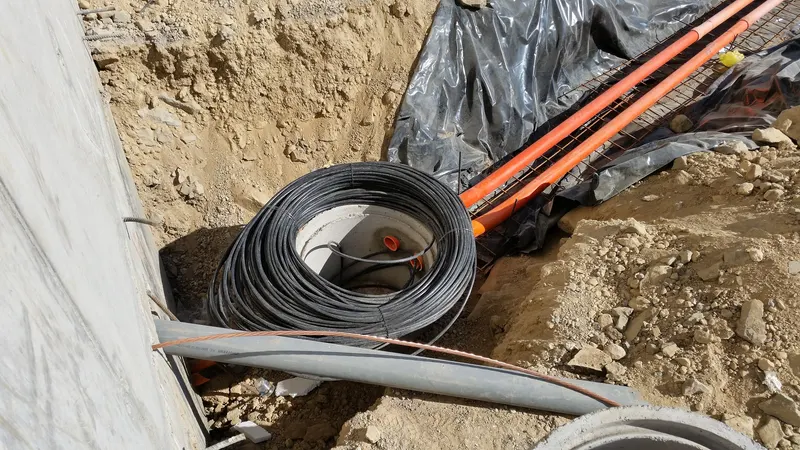
Fiber running past a building is not the same as fiber inside it. Getting from the street into a structure requires an entry point, conduit in usable condition, and — in commercial property — usually a formal arrangement with the building owner. Buildings where the carrier already has fiber terminated inside are sometimes described as "lit." In a lit building, adding a new tenant circuit is a comparatively simple job. In a building the fiber merely passes, some amount of construction stands between you and service.
Layer 3: Can the building deliver it to your suite?
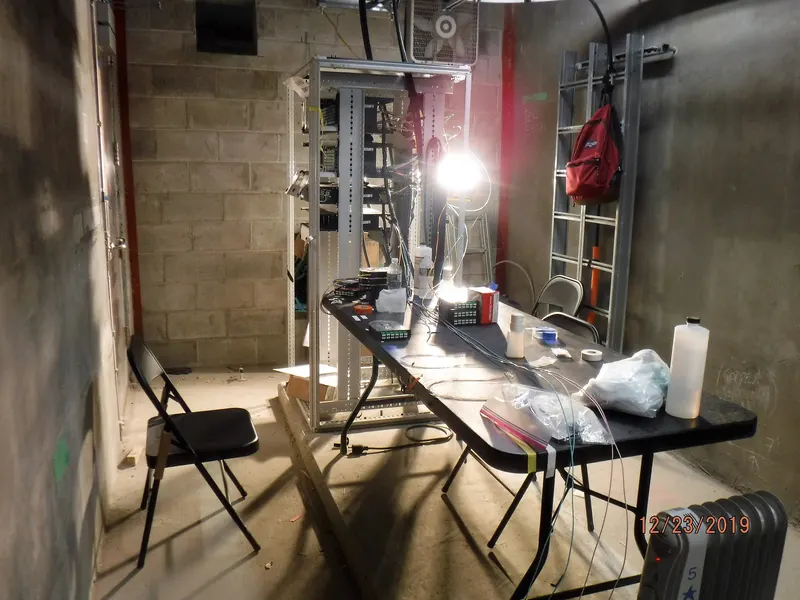
In a multi-tenant property, the final stretch runs from the building's telecom room through risers and pathways to your floor and suite. This layer is governed less by the carrier than by the building itself: the condition of riser conduit, space in the telecom room, and — critically — the property manager's willingness to authorize access. A building can be fully lit and your suite still unreachable in practice because approvals stall or pathways are full.
Why consumer availability checkers mislead business buyers
Typing your address into a consumer web checker feels like due diligence, but it fails business buyers in predictable ways:
- Wrong product catalog. Consumer tools check residential products. Business fiber is ordered through business systems with their own serviceability data, and the two do not always agree — in either direction.
- No suite-level awareness. A checker may return a result for the building while knowing nothing about whether your floor is reachable.
- No construction insight. A "not available" result cannot tell you whether service is genuinely far away or one short construction job from reality — a distinction that matters enormously if you control the timeline of a move or build-out.
- No visibility into pending build-out. Fiber expansion is ongoing across Dallas. A static lookup reflects today only.
A business-grade serviceability check, run against the carrier's business systems for the exact address and suite, answers what the web checker cannot: what can be ordered today, what would require construction, and what building-level complications exist. That check is the first step in our step-by-step guide to getting business fiber in Dallas, and Forward Konnect runs it free for any Dallas business through our AT&T Business Fiber service — send the address, get a definitive answer.
The landlord factor: the layer businesses underestimate
Ask anyone who manages telecom installs in Dallas office buildings where projects stall, and the answer is rarely the carrier's technical work. It is property-owner permission. Bringing a new circuit into a leased space typically requires the landlord or property manager to grant access to telecom rooms, approve riser use, and sometimes sign agreements with the carrier.
Most landlords cooperate — connectivity makes their building more lettable — but cooperation takes time, and property management companies process these requests at their own pace. Practical implications:
- Start the landlord conversation immediately, not after the installation date is booked. Approval lead time is the most common schedule killer, as we detail in how long business fiber installation takes.
- Ask your property manager what carriers are already in the building. If AT&T fiber is already terminated there for another tenant, your path is far shorter.
- Get commitments in writing during lease negotiation if you have not signed yet. A clause obligating the landlord to reasonably cooperate with telecom installations costs nothing to ask for.
Reading the signals: how serviceable is your address likely to be?
None of these substitute for a real check, but they help you calibrate expectations while you wait for one:
| Signal | What it suggests |
|---|---|
| Another tenant in your building already has AT&T fiber | Strong — building is lit; your job is mostly the suite-level path and approvals |
| Building is in an established commercial corridor | Favorable — street-level build-out is more likely |
| New construction or recently renovated property | Often favorable — modern conduit and entry points, and developers frequently pre-arrange carrier entry |
| Older light-industrial area or converted space | Mixed — street fiber may exist, but building entry and pathways can need work |
| Standalone building you own | Simplifies approvals entirely — the landlord layer is you |
When the answer is "not yet"
Sometimes the honest result is that business fiber cannot be ordered at your address today. That is a starting point, not a dead end:
- Find out how far away service really is. "Unserviceable" spans everything from "years away" to "one construction job away." If construction would connect you, ask what it involves and who bears the cost — for some businesses it is worth it, particularly with a long lease.
- Bridge with what is available. Other business internet options can carry you until build-out arrives. If your current connection is the reason you are looking, our guide on dealing with unreliable office internet covers stabilizing what you have while you plan the upgrade.
- Consider wireless as a bridge or backup. Business wireless connectivity can serve as an interim primary or a permanent secondary line, and it deploys on a completely different failure domain than anything in the ground.
- Leave a marker. Serviceability changes. Re-check periodically, or work with a dealer who will flag your address when the answer changes — that is part of what we do for businesses whose first check comes back negative.
Check before you sign: availability and site selection
The cheapest time to solve a serviceability problem is before you commit to the address. If you are choosing between spaces for a new office, relocation, or additional location, put connectivity checks into the site-selection process alongside parking and square footage:
- Run a serviceability check on every shortlisted address — checks are free, and running three takes no longer than running one.
- Ask each property manager which carriers have fiber in the building today.
- For multi-site businesses, check all locations in one pass; differences between addresses will shape the network design, a topic we cover in business internet for multiple locations.
- Weight the results. Between two otherwise comparable spaces, the one with fiber already in the building saves you weeks of coordination and an entire category of risk.
Companies that treat connectivity as a moving-day detail regularly end up opening an office that cannot get the service their operations were planned around. Companies that treat it as a site-selection criterion almost never do.
What to have ready when you request a check
A serviceability check needs surprisingly little from you, but the quality of the inputs determines the quality of the answer. Have these on hand:
- The full service address, exactly as the property uses it — including the suite or unit number, and any secondary designation the building applies. "The office on Greenville near the intersection" is not checkable; an ambiguous or partial address is the most common reason a check comes back wrong rather than merely slow.
- The property manager's contact details, if you lease. You will need them soon anyway, and knowing who authorizes building access lets whoever runs your check flag approval questions early.
- Your timeline. A move-in date or contract expiration changes how the results should be read — an address that needs short construction may be fine for a move four months out and unworkable for one in three weeks.
- A sketch of your requirements. Rough headcount, whether phones will ride on the connection, any hosting or camera plans. The check answers "what can be ordered here"; the requirements determine which of those options is worth ordering.
None of this needs to be polished. The address alone starts the process, and the rest sharpens the recommendation that comes back with the results.
Why serviceability keeps improving
Fiber build-out across the Dallas area is not static. Carriers continue extending networks into commercial areas as demand and construction economics allow, and buildings get lit one tenant request at a time — every completed installation in a previously unlit building shortens the path for every future tenant. Practically, this means a "no" ages quickly, a "not yet" often has a horizon, and the earlier you register interest for an address, the sooner you find out when its status changes.
The bottom line
AT&T Business Fiber availability in Dallas is determined by three stacked layers — fiber along your street, fiber into your building, and a workable path to your suite — plus the human layer of property-owner cooperation that businesses most often underestimate. Consumer checkers cannot see most of that. Get a business-grade serviceability check on the exact address, involve your landlord early, verify before signing leases, and treat a negative answer as a timeline question rather than a verdict. The check itself is free; skipping it is what gets expensive.