
Multi-location internet works when you treat it as one designed system instead of a pile of separate accounts. That means mapping availability address by address, assigning each site a tier that dictates its connection and backup, standardizing equipment and vendors where geography allows, and putting one owner in charge of the inventory, renewals and escalations. This guide walks through each of those decisions in order.
Why multi-location internet goes wrong
Most companies do not design their multi-location connectivity — they accumulate it. The first office ordered whatever was available in that building. The second location was opened in a hurry, so someone signed for whatever could be installed fastest. The third came through an acquisition and arrived with its own provider, contract and router brand. A few years later the company is managing several unrelated accounts, on different renewal dates, with different support numbers, different equipment, and no one person who can say what the business actually pays for connectivity or which sites are one line cut away from a dead day.
The operational symptoms are predictable. An outage at one branch turns into a scramble to find the right provider and account number. A new site takes far longer to open than anyone budgeted because connectivity was ordered last. Sites that generate most of the revenue turn out to have the weakest connections, because nobody matched service levels to site importance. And every bill quietly renews at whatever rate the contract drifted to.
None of this requires exotic technology to fix. It requires treating connectivity as one system with a design, a tier model and an owner. The rest of this article is that design process, in the order it should happen.
Start with an address-by-address availability map
The single most important fact about multi-location internet is that availability is determined per address, not per company. Fiber build-out varies street by street across Dallas–Fort Worth and every other market; one of your locations may sit in a building already lit with fiber while another, two miles away, has only cable-based options or needs construction to reach it. No design survives contact with reality until you know what each address can actually get.
So the first step is an availability inventory. For every current and planned location, record:
- The full service address, suite and floor.
- What is installed today: provider, connection type, contracted service, renewal date.
- What can be ordered there now — fiber, cable-based service, dedicated circuits, wireless.
- Any building constraints: landlord approval requirements, riser access, existing entrance facilities.
Doing this yourself means separate conversations per provider per address. This is one of the places a local partner earns its keep: as an authorized AT&T dealer, Forward Konnect runs multi-site availability checks as a single request and returns one map of what every address can order. Our multi-location connectivity service is built around exactly this exercise.
The map usually produces surprises — a "small" site that could have fiber cheaply, a flagship site that cannot without construction lead time — and those surprises should shape the design, not fight it.
Assign every site a tier
Not every location deserves the same connection, and pretending otherwise wastes money at small sites while under-protecting critical ones. The practical tool is a tier model: classify each site by what happens to the business when that site loses connectivity, then let the tier dictate the requirements.
A three-tier model covers most companies:
| Tier 1 — critical | Tier 2 — revenue site | Tier 3 — light site | |
|---|---|---|---|
| Typical sites | Headquarters, main warehouse, any site others depend on | Stores, branches, clinics, sales offices | Small outposts, storage, project offices |
| Outage impact | Company-wide disruption | That site stops earning | Inconvenience |
| Primary connection | Fiber; dedicated access where downtime is intolerable | Business fiber where available | Best available business service |
| Backup connection | Always, on a diverse path | Wireless failover for payments and phones | Usually none, or phone hotspot procedures |
| Support expectation | Highest service level available | Standard business support, monitored | Standard |
Two notes on applying it. First, tier by dependence, not headcount — a three-person site that processes every customer payment is Tier 2 at least, while a twenty-person back-office team that can work from home for a day may not be. Second, headquarters is usually more critical than it looks: if your phones, file server or inventory system live there, every other site inherits its outages. For sites where any downtime is unacceptable, it is worth understanding the difference between shared service and a dedicated circuit with service-level commitments — our comparison of dedicated internet access versus shared business fiber covers when the upgrade is justified.
Standardize where you can, adapt where you must
With tiers assigned and availability mapped, the design principle is: standardize everything geography lets you standardize, and contain the exceptions.
Standardization pays off in three places:
- Provider. Fewer providers means fewer bills, fewer support relationships, and often better treatment as a larger customer. Consolidating sites with one carrier where its footprint allows is usually worth doing at renewal time; forcing it where the footprint is weak is not.
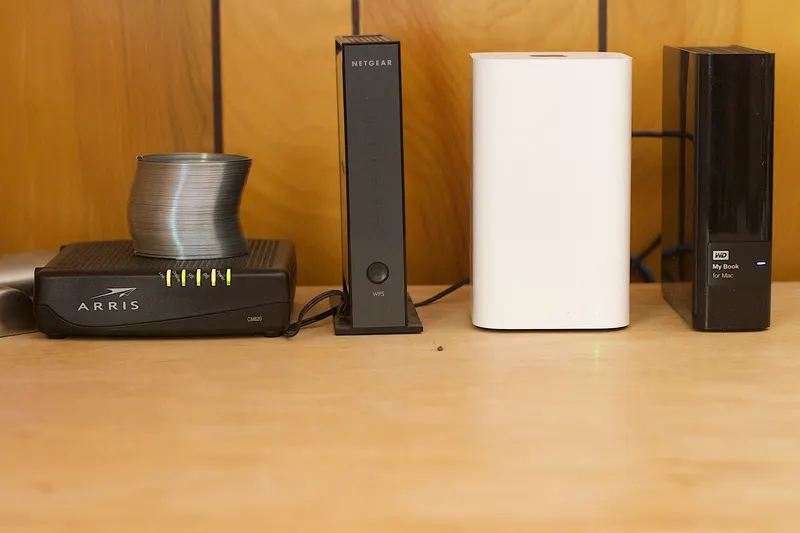
- Equipment. Same router and firewall family at every site means one configuration standard, spares that work anywhere, and remote troubleshooting that does not start with "describe the lights on the box." This is worth doing even when providers differ.
- Configuration. Consistent network addressing, naming and security policy across sites makes every future project — new phone system, new camera platform, site-to-site links — dramatically simpler.
Adaptation is for the physical layer. If one site can only get cable-based service today, accept it, tier it honestly, and compensate with wireless backup rather than leaving the site fragile while waiting for build-out. If a flagship site needs construction to reach fiber, start that clock early and run an interim connection meanwhile — construction timelines depend on permits, property access and build complexity, so they belong at the front of any site-opening plan, never on its critical path by surprise.
Redundancy: buy it where it pays, skip it where it doesn't
Backup connectivity is the clearest place where the tier model saves money. Blanket rules — "every site gets a second line" or "backup is a luxury" — are both wrong. The question per site is the same one that set its tier: what does an hour of downtime here cost in lost sales, idle staff and customer damage?
For Tier 1 sites the answer justifies real diversity: a second connection that does not share the primary's failure points — different technology, ideally a different physical path into the building — with automatic failover, so the switch happens in seconds without anyone touching equipment. For Tier 2 sites, a wireless failover unit that keeps card payments and phones alive is usually the right-sized answer. For Tier 3, a written procedure ("hotspot from the manager's phone, here's how") may genuinely be enough.
Failover that has never been tested is a hope, not a plan — the full design, including path diversity, sizing the backup for survival mode and scheduled testing, is covered in our guide to primary and backup internet as a business continuity plan. Federal guidance at Ready.gov treats IT and communications continuity as a core part of business preparedness for the same reason.
Manage it like a system: one owner, one inventory, one calendar
Design decays without management. Three artifacts keep a multi-site network from drifting back into chaos, and none of them is sophisticated:
- One owner. A named person (or partner) who holds the whole picture — every account, every escalation path — and through whom every connectivity change flows. When an outage hits, nobody should be searching email for the right support number.
- One inventory. A living document listing, per site: address, provider, account number, service type, circuit IDs, equipment, and who to call. Kept where an outage at 7 a.m. Saturday can find it.
- One renewal calendar. Every contract end date, with a reminder far enough ahead to renegotiate rather than auto-renew. Multi-site companies leak money through forgotten renewals more than through any single bad deal; a periodic telecom cost audit across all locations catches the drift and frequently funds the redundancy improvements above.
If no one inside the company can own this, that is a reasonable thing to outsource — it matters far more that the discipline exists than who holds the pen.
A quarterly half-hour review of the three artifacts is enough to keep them alive: confirm the inventory matches reality, glance at the next two renewal dates, and check that every site's escalation path still names people who work there. The companies that skip this do not lose the documents — they lose trust in them, which is functionally the same thing the day an outage hits.
Opening new sites without the last-minute scramble
Multi-location companies open locations, and connectivity is the classic last-minute crisis: the buildout is done, staff are hired, and the internet order went in two weeks ago. The fix is sequencing — connectivity gets ordered as soon as the address is known, because availability checks, landlord approvals and possible construction all take time you cannot compress at the end.
The tier model makes new sites faster, too: a new Tier 2 store is not a design project, it is an instance of a pattern — the standard connection type, the standard failover unit, the standard router configuration, added to the inventory and calendar on day one. We keep a phase-by-phase business internet installation checklist for a new office for exactly this workflow, from availability check through cutover day.
A Dallas–Fort Worth footnote
If your locations are spread across DFW, expect the availability map to be genuinely uneven — the metroplex mixes recently built corridors with older commercial stock, and fiber reach differs between them, sometimes block by block. Expect landlord and property-management approval steps at multi-tenant buildings. And factor in the region's constant construction, which both extends fiber to new areas and occasionally cuts existing lines — one more argument for path-diverse backup at the sites that matter. None of this is a reason to avoid standardizing; it is the reason to check every address before promising any design.
The bottom line
Multi-location internet is a systems problem, not a shopping problem. Map what every address can actually get, tier each site by what its downtime costs, let the tier dictate connection and backup, standardize providers and equipment as far as the footprint allows, and put one owner behind one inventory and one renewal calendar. Companies that do this open sites faster, ride out outages that would stop their competitors, and stop leaking money through forgotten contracts. Companies that skip it keep rediscovering the same chaos, one site at a time.