Getting internet into a new office runs smoothly when the work is sequenced: confirm availability the day you have an address, clear landlord and building access early, size and order the service next, prepare the space and equipment before the technician arrives, and cut over without canceling the old service prematurely. This checklist walks through all five phases in order, with the items that most often cause delays flagged.
Why installations slip — and why a checklist fixes it
Almost every painful business internet installation fails the same way: the tasks were fine, the order was wrong. The service was ordered after the lease was signed but before anyone asked what the building could support. The landlord's approval was requested the week of the install. The suite had no power in the closet where the equipment needed to live. The old office's service was canceled on moving day, and the new circuit was not live yet.
None of these are technical failures — they are sequencing failures, and a checklist is the cure. The one below is organized into five phases. Work each phase to completion before leaning on the next, and note the recurring theme: the items with the longest lead times — availability, construction, landlord paperwork — all sit in the first two phases, which is exactly why they must start first. Installation timelines are driven by factors like building status, property access and any required construction, so treat every date as dependent on the checklist rather than promised by the calendar. The full set of stages and dependencies is covered in our companion piece on how long business fiber installation takes.
Phase 1 — the moment you have an address
This phase starts before the lease is signed, if you can manage it. What a building can get is a per-address fact, and it should inform the lease, not surprise you after it.
- Run an availability check for the exact address, suite and floor. Not the street, not the complex — the suite. Options can differ within one property. If fiber is your goal, our step-by-step guide to getting AT&T Business Fiber in Dallas explains how the check works and what happens after it.
- Ask specifically whether the building is already served. A building with existing fiber facilities is a very different project from one that needs construction to be reached — the single biggest fork in any installation timeline.
- Identify every option, not just the preferred one. Knowing the fallback (another service type, wireless) protects your opening date if the first choice hits construction delays.
- Flag your move-in date to whoever is handling the order. The earlier the target is visible, the earlier conflicts surface.
- If you are choosing between spaces, weigh connectivity in the decision. Two comparable suites can carry very different installation projects; it is far cheaper to learn that now.
This is also the natural point to bring in help. Forward Konnect runs this check for Dallas businesses as an authorized AT&T dealer — send the address through our AT&T Business Fiber in Dallas page and we confirm what can actually be ordered there before you commit to anything.
Phase 2 — building, landlord and access
In a multi-tenant building you do not fully control the path between the street and your suite. This phase clears the humans and the pathways, and it runs in parallel with ordering.
- Get landlord consent in writing. Many commercial leases require the property owner's approval before a carrier can install facilities or run cable through the building. Request it immediately; approvals routed through property-management companies are a classic silent delay.
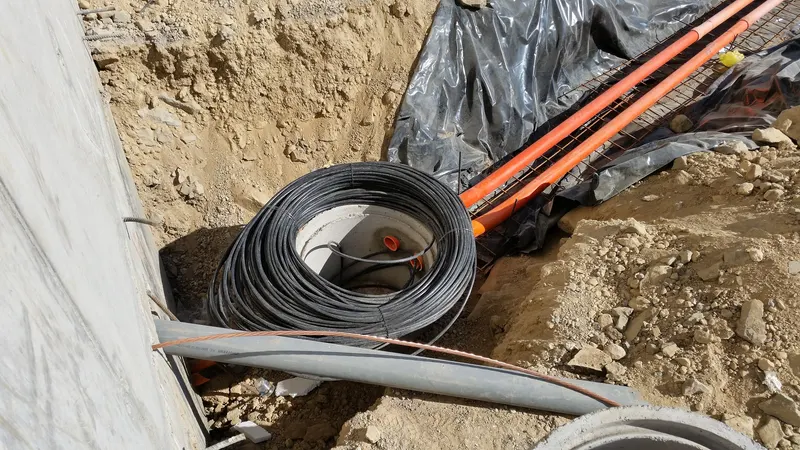
- Locate the building's entrance facility and riser path. Where does service enter the building, and how does cabling reach your floor? The building engineer or property manager knows. If conduit or riser space is full or damaged, everyone benefits from discovering that early.
- Confirm access arrangements for technicians. Loading dock rules, badge or escort requirements, permitted work hours, certificate-of-insurance requirements for contractors — collect them once and attach them to the order.
- Ask whether other work needs coordinating. If the suite is being built out, the general contractor's schedule and the installation need to know about each other — drywall closing before cable is pulled is a well-worn mistake.
- Confirm where service will terminate in your suite. The technician needs a specific room and wall, not "somewhere in the back."
Phase 3 — size, order and paperwork
With availability confirmed and the building clearing, decide what you are actually buying and place the order.
- Size the connection from real usage, not a guess. Headcount, cloud applications, phones, cameras, file sizes, growth plans. Our guide to how much internet speed your business needs turns that list into a defensible requirement.
- Decide on add-ons now, not after go-live. Static IP addresses if you host anything or run certain VPN and camera setups, voice service on the same account if you want one bill, and backup connectivity if downtime stops revenue. Changes are cheapest before installation.
- Read the agreement before signing. Term length, what happens at renewal, early-termination conditions, and any installation or construction charges. Our list of questions to ask before signing a business internet contract covers the full set.
- Place the order with the move-in date attached and get the order number recorded somewhere the whole project can see.
- Confirm who is managing the order to completion. An installation has many small steps that can stall; someone — you, IT, or a partner like us — should be watching status weekly rather than assuming silence means progress.
Phase 4 — prepare the space and your own equipment
Everything in this phase is inside your control, which means none of it is an acceptable reason for delay on install day.
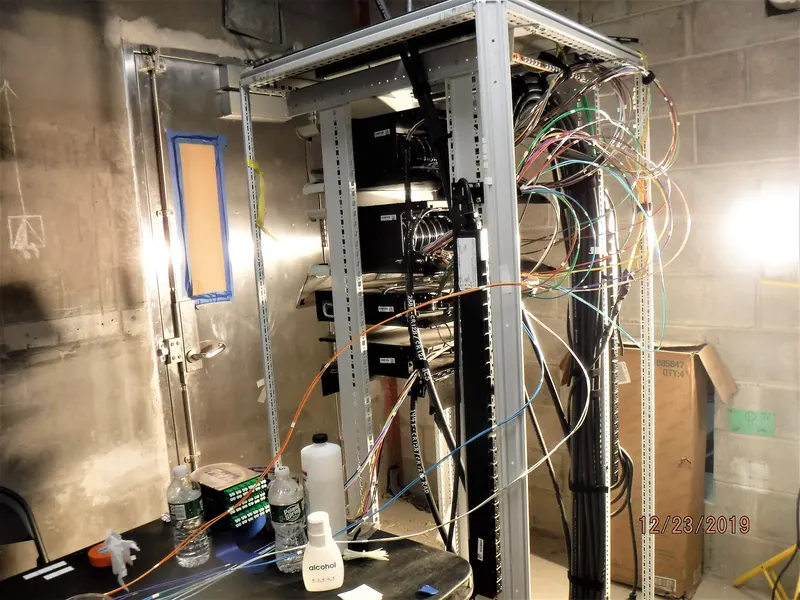
- Prepare the equipment location. A secure, ventilated closet or cabinet with power outlets where the service will terminate. Add a small UPS so the connection and your router ride through brief power blips.
- Have your network gear on site and configured. Router or firewall, switches, wireless access points — purchased, updated and preconfigured before the install date, not ordered after it.
- Plan and pull inside cabling. Runs from the equipment room to desks, printers, card terminals, cameras and phones. If a cabling contractor is doing it, schedule them to finish before the carrier install.
- Line up whoever configures the handoff. When the circuit goes live, someone needs to connect your network to it and verify everything from desk to internet. Book that person for install day plus a buffer.
- Make a cutover list of everything that touches the internet. Phones, printers, card terminals, alarms, cameras, door controllers, conference-room gear — each needs testing on the new connection, and forgotten devices are the classic first-morning surprise.
Phase 5 — install day and cutover
- Have a decision-maker reachable on install day. Technicians hit questions — where exactly to mount, which path to take — and an unreachable contact can turn a completed install into a rescheduled one.
- Test before the technician leaves. Confirm the circuit is live and passes traffic from your own equipment, not just the carrier's test gear.
- Work through the cutover list. Every device from Phase 4, tested on the new connection, with special attention to payments and phones.
- Do not cancel the old office's service until the new one has carried real workdays. Overlap costs a little; a gap costs sales. If the old contract's end date is looming, handle the timing deliberately rather than optimistically.
- Record everything while it is fresh. Account and circuit numbers, support contacts, equipment passwords, what was installed where. Future-you, mid-outage, will be grateful.
- Schedule a backup-connectivity decision. If the new office takes payments or runs phones over the internet, a failover connection deserves a decision within the first month — our guide to primary and backup internet covers how to design it.
Special cases worth planning for
Three situations bend the checklist enough to call out separately.
An office move rather than a first office. Everything above applies, plus a timing overlay: the old location's contract has notice periods and an end date, and the move date sits between two services. Work backward from the lease-end of the old space, order the new service the day the new address is committed, and budget for a deliberate overlap month rather than trying to land both changes on the same Friday. Number porting for phones, alarm and elevator lines riding on old copper, and equipment you plan to move rather than replace all deserve their own line items — each has stranded more than one move.
Growth within the same building. Taking the suite next door or an additional floor feels like it should be trivial, but treat it as a small Phase 2 project: riser paths to the new space, landlord consent for new cabling, and a fresh look at whether the existing connection still fits the larger headcount. It is also the natural moment to re-run the sizing exercise instead of assuming the old answer still holds.
A second location. The checklist runs the same way per address, but the design questions change: standardizing equipment across sites, deciding which locations justify backup connections, and putting every account on one renewal calendar. That is a system-design conversation more than an installation one — our guide to business internet for multiple locations covers it — and it is much easier to set the pattern at site two than to retrofit it at site five.
In all three cases the underlying rule holds: the calendar risk lives in availability, approvals and construction, so those start first, and the business keeps running on something proven until the new circuit has earned trust.
The condensed checklist
| Phase | Non-negotiables | Longest lead item |
|---|---|---|
| 1. Address | Per-suite availability check; options identified | Construction if building is unserved |
| 2. Building | Written landlord consent; riser and access confirmed | Property-management approvals |
| 3. Order | Sized from real usage; contract read; order tracked | Order processing and scheduling |
| 4. Space | Powered closet; gear configured; cabling done | Inside cabling contractor |
| 5. Cutover | Everything tested; old service overlaps; records kept | Real-workday validation |
The bottom line
A smooth office internet installation is won in the first two phases, weeks before any technician appears. Check availability for the exact suite the day you have an address, start landlord and building-access paperwork immediately, and only then size, order and prepare. Keep the old connection alive until the new one has proven itself under real work, and write everything down at the end. The checklist is long, but every item on it is cheaper than the alternative: an office full of staff, boxes unpacked, and no connection to run the business on.