
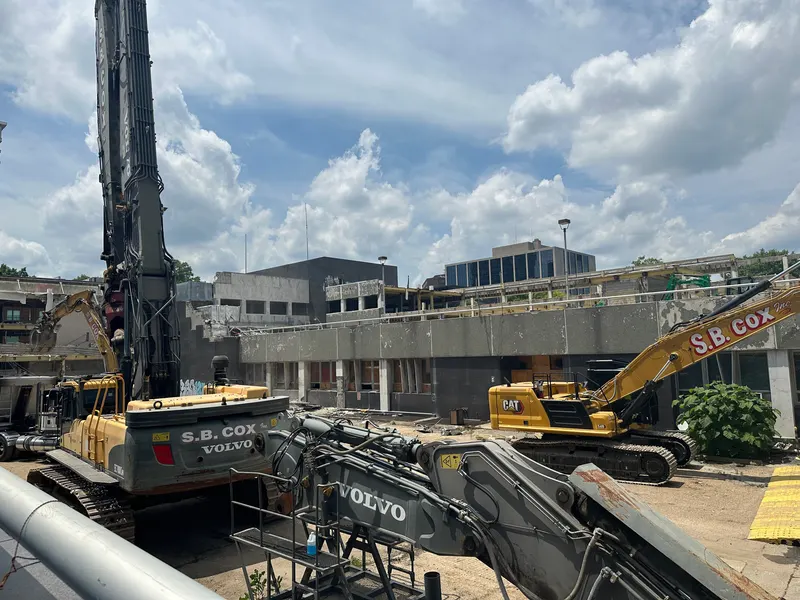
Construction and field service companies work where the internet is not: job sites without wiring, trucks moving all day, crews spread across a metro. Staying connected takes a layered plan — wired service at the office, cellular routers at job sites, business wireless plans for crews and vehicles — plus a repeatable playbook for standing up every new site. Here is how to build it.
Most connectivity advice assumes a fixed office: pull fiber to the suite, set up Wi-Fi, done. Construction and field service companies break that assumption daily. The revenue-producing work happens at job sites that did not exist last quarter, in customer homes and mechanical rooms, and in trucks between them. The office still matters — estimating, payroll, dispatch and plans live there — but the company's real network is wherever its crews are standing.
The industry has also quietly become bandwidth-dependent. Plans and drawings are distributed digitally and revised mid-project; superintendents photograph and document everything; timesheets, safety forms, inspections and daily logs are apps; service techs look up equipment history, capture signatures and generate invoices at the customer's door. When connectivity fails, the old paper fallbacks are gone — the crew waits, drives, or improvises on personal phones.
This article lays out a practical connectivity architecture for construction and field service companies: what belongs at the office, what belongs at the job site, what belongs in pockets and trucks, and how to make standing up a new site a routine instead of a scramble.
Think in three layers, not one connection
A useful way to plan is to treat the company as three connectivity layers with different tools:
- The office or yard — fixed, wired, high capacity. This is where fiber belongs.
- Job sites and temporary locations — semi-fixed for weeks or months. This is cellular-router territory, occasionally temporary wireline for long projects.
- Crews, techs and vehicles — fully mobile. This is the domain of business wireless plans, smartphones, tablets and hotspots.
Companies get into trouble by forcing one layer's tool onto another: trying to run a year-long job site off a technician's phone hotspot, or waiting weeks for a wired install at a site that only needed a cellular router, or — most common — leaving the whole field layer on employees' personal phone plans with no management at all. Match the tool to the layer and most problems dissolve.
Layer 1: the office and the yard
The back office runs the systems everything else syncs to: estimating and project management platforms, accounting, dispatch, document storage, phones. It deserves a proper wired business connection — fiber where available — sized for the office headcount plus the constant sync traffic arriving from the field: photo uploads, drawing downloads, form submissions from every active site. Companies with a yard or shop should remember that cameras, gate controls and equipment-tracking systems ride the same line.
Two office-specific notes for this industry. First, if dispatch and project coordination live in the office, an office outage strands the field — crews cannot pull revised drawings or close out work orders. That makes a primary-plus-backup internet design more valuable here than in a typical office, because the office is effectively a hub for people who are not in it. Second, growing contractors often add a second yard or satellite office; planning connectivity across sites is its own discipline, covered in our guide to business internet for multiple locations.
Layer 2: the job site
A job site needs real connectivity for a bounded period — weeks to a couple of years — at an address that may not have serviceable wiring, or even a finalized address. The workhorse solution is a cellular router: a business-grade LTE/5G router with external antennas, mounted in the site trailer or a weatherproof enclosure, broadcasting Wi-Fi for the site team and wiring in anything fixed (cameras, a printer, a time clock). Compared to phone hotspots, a proper router offers far better antennas and signal handling, supports many devices, stays powered and in place, and puts site connectivity on a company account instead of a superintendent's phone.
Planning notes that matter in practice:
- Check coverage before mobilization. Cellular performance varies by location, and a site behind a hill or deep in a concrete structure behaves differently from the parking lot. Test at the actual trailer location during site setup, and position antennas accordingly.
- Size the data plan to the site's habits. Camera uploads and constant photo documentation consume far more data than forms and email. Match the plan to the site's real usage pattern rather than guessing, and review usage after the first month.
- Long projects may justify wireline. For a project running a year or more — or a site office that will become a permanent facility — it can be worth ordering a wired connection. Build the lead time into mobilization planning: availability must be checked for that address, and construction can add weeks, a sequence our guide to business fiber installation timelines walks through.
- Site cameras deserve their own math. Continuous cloud-recording cameras can dominate a site's data budget. Decide deliberately between continuous recording, motion-triggered clips and local recording with periodic upload.
The same cellular-router approach covers other temporary needs: a sales trailer at a development, a disaster-response deployment, a seasonal yard.
Layer 3: crews, techs and vehicles
For field service companies — HVAC, plumbing, electrical, landscaping, inspections — the third layer is the business. Each tech's phone or tablet is the terminal for dispatch, job details, equipment history, photos, signatures, payments and invoicing. For construction crews, foremen and superintendents carry the daily interface to plans and logs. This layer runs on business wireless plans, and a few design decisions determine whether it works smoothly:
Company lines versus personal phones. Reimbursing personal phones looks cheap until the company confronts what it actually bought: no control over the number when a tech leaves (customers keep calling the departed tech's personal phone), no ability to secure or wipe a lost device holding customer data, and no pooled data management. Company-owned lines on a business wireless plan keep numbers, devices and data under company control — which is why most field companies migrate that direction as they grow.
Pooled data. Field usage is uneven — the tech doing photo-heavy commissioning burns data the estimator never touches. Plans that pool data across lines absorb that variance without per-line overage drama. Reviewing the pool a few times a year keeps it sized to the roster.
Devices that survive the work. Rugged or ruggedized tablets and phones cost more upfront and repay it in trucks, attics and rain. Standardizing on a small set of models simplifies mounts, chargers, cases and support.
Basic device management. Even a light mobile-device-management setup — the ability to locate, lock and wipe a company device, and push the standard apps — converts a lost phone from a customer-data incident into a hardware expense. It also makes onboarding a new hire a checklist item: line activated, standard apps installed, working before the first ride-along.
Vehicles. Trucks can carry their own connectivity — in-vehicle routers or hotspot capability — turning each van into a rolling office for the tech's tablet, and supporting fleet telematics where the company uses it.
Use cases
The general contractor. Three to ten active sites at any time, each with a trailer, cameras and a rotating cast of superintendents and subs. The pattern: a standardized "site kit" — cellular router, antennas, access point, camera bridge — deployed at mobilization and recovered at closeout, with a documented setup so any PM can commission a site. Office fiber carries the plan room and project platform everything syncs to.
The mechanical or electrical subcontractor. Crews work inside other companies' sites, where the GC's Wi-Fi may or may not be offered and should not be relied on. Foremen carry tablets on company wireless lines with enough data to pull drawings and submit paperwork independent of host-site connectivity.
The residential service company. Fifteen techs, fifteen trucks, no job sites — the entire field operation rides on wireless plans and the dispatch platform. Priorities: company-owned lines so customer contact stays with the company, pooled data, card payment capability at the door, and a phone system that routes customer calls to whoever is on duty rather than to personal numbers.
The growing hybrid. A contractor adding a service division (or a service company adding projects) should resist running two disconnected setups. One wireless account structure, one device standard and one site-kit design serve both sides, and the office connection is sized once for the combined sync load.
A new-site connectivity playbook
| Step | Action | When |
|---|---|---|
| 1 | Check cellular coverage at the site; identify trailer/antenna placement | Pre-mobilization walk |
| 2 | For 12+ month projects, check wired availability and lead times | As soon as the address exists |
| 3 | Deploy the site kit: router, antennas, Wi-Fi, camera connections | Mobilization day |
| 4 | Verify plan sync, forms, cameras and time clock from the actual trailer | Before crews scale up |
| 5 | Confirm data plan sizing after the first month's usage | Week 4–5 |
| 6 | Recover and refurbish the kit; close or repurpose the line | Closeout |
The playbook's value is repeatability: connectivity stops being a per-site improvisation and becomes a mobilization line item with an owner, like temporary power.
The Dallas–Fort Worth angle
Field companies in the DFW area work across an unusually spread metro — a crew can start the morning in a dense urban core and spend the afternoon at the edge of a fast-growing suburb where subdivisions are still being framed. That spread argues for exactly the layered approach above: coverage checked site by site rather than assumed, data plans sized for heavy photo and camera use, and an office hub sized for a field operation that never stops syncing. Forward Konnect works with contractors and field service companies across the metro on all three layers — as an authorized AT&T dealer, we help set up office fiber, job-site connectivity and business wireless plans for field teams, and coordinate the pieces so they arrive as one plan. The broader industry picture, including phones and workflow automation for field operations, is on our construction and field services industry page.
Bottom line
Construction and field service connectivity is a three-layer problem: wired capacity at the office, cellular routers at job sites, and managed business wireless in every pocket and truck. Match the tool to the layer, put field lines and devices under company control, standardize a site kit with a mobilization playbook, and check coverage before crews roll rather than after they complain. Done once, deliberately, it turns connectivity from a recurring site headache into infrastructure the crews never think about — which is the whole point.